- |
- Cloud: Dropbox
- Photoshop: Change Sky
- Music: Teresa Teng Music Performance |
- Friend's Web: Lee |Classwu |Shirley |Iren | MeiYu |Kathy |
- Computer:
- how to remove auto hyperlinks from office
- Word Mail Merge with Excel
- classwu Excel: Transpose in Excel
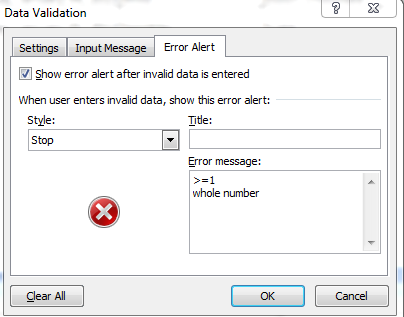
- Excel- Filter | Excel - data Validation |Excel - add FORM on ribbon
- Travel:
- Video:
- Web: picturetrail |download youtube |

Wednesday, January 1, 2020
HomePage

Tuesday, May 6, 2014
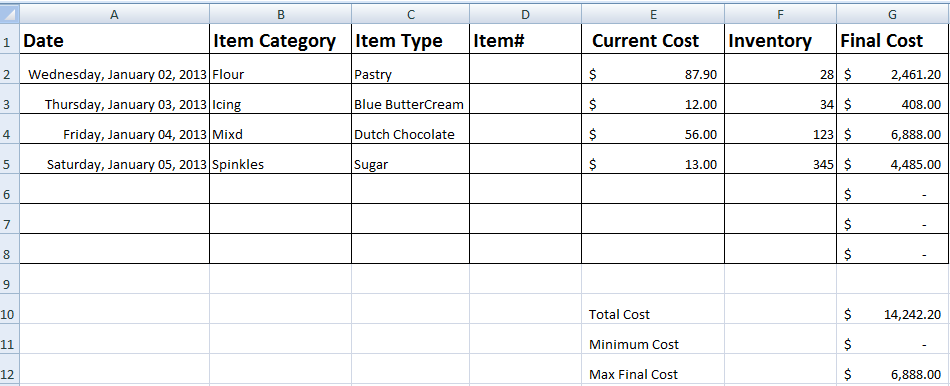
Excel - FORM - data information input
Quick access toolbar / more commands / commands not in the ribbon / form / add / ok

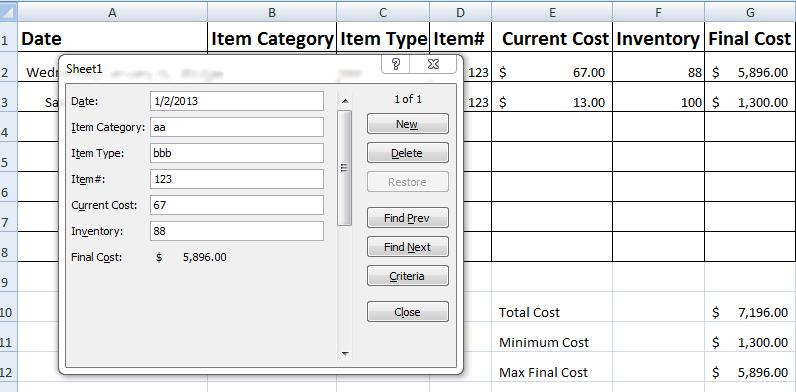
1. add data information on FORM


Tuesday, April 29, 2014

Tuesday, March 18, 2014

Tuesday, March 11, 2014


Tuesday, February 11, 2014
Word Mail Merge with Excel
Word Mail Merge
一、
Excel:Company information
二、
Word:
1.
Open Word 2007→office Button→New→輸入“Notice”→“Letter notifying customer of past due bill”→Download。
3.
Mailings→Select Recipients→Use Existing List→Open製作好的“Company information”
4.
Highlight
[Recipient Name]→Insert
Merge Field→選擇Name→Preview Results。
5.
Highlight [Title]→Rules→If…Then…Else→
1)
Field name =
Gender; Equal to M; Insert this text = Mr. ; Otherwise insert this text = Ms.
6.
Highlight [Company
Name]→Insert Merge Field→Company。
7.
Highlight [Street
Address]→Insert
Merge Field→Street
Address。
8.
Highlight [City,
ST ZIP Code]→Insert
Merge Field→City
Zip Code。
9.
下面一行→Insert Merge Field→Tel.
10. Highlight [Recipient Name]→Insert Merge Field→選擇Name。
11. Finish & Merge→Edit individual Documents→All→OK
Tuesday, December 31, 2013
how to remove auto hyperlinks from office
Office Button ( left of top sign) / Excel Options/Proofing/ Auto correct options / Auto Format as you type/ uncheck "Interner and network path with hyperlinks"
Tuesday, November 5, 2013




Tuesday, October 29, 2013
Subscribe to:
Posts (Atom)